



Features
- Improve Project Planning
- Strengthen Risk Management
- Automate Repetitive Activities
- Save Time and Improve Productivity
- Develop Future-Ready Skills
Transform Project Management with AI
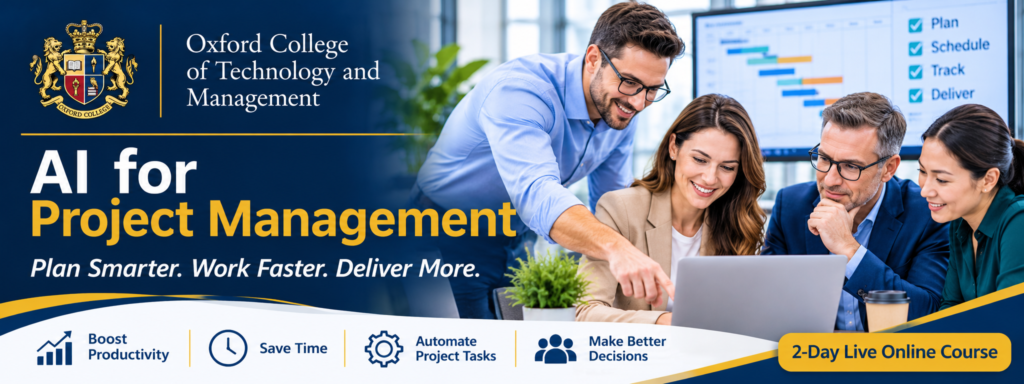
Discover how artificial intelligence can help you plan projects, manage schedules, analyse risks, prepare reports and improve project delivery.
This practical two-day live online course introduces project managers and project professionals to real-world applications of AI and workflow automation. You will learn how to use ChatGPT and Google Gemini to generate project documents, analyse information, identify potential risks and prepare management reports.
What You Will Learn
- Understand the role of AI in modern project management.
-
Writing effective prompts for project management.
- Generate project charters, plans, reports and other project documents.
- Explore AI-assisted WBS, scheduling and project planning.
- Use AI to identify, assess and respond to project risks.
- Analyse project information and prepare progress summaries.
- Understand no-code workflow automation using n8n.
- Design simple automated project management workflows.
- Apply appropriate validation, data protection and human oversight.
Take Your Project Management Skills to the Next Level with AI
Discover how artificial intelligence and workflow automation can help you plan more effectively, manage project risks, improve reporting and streamline everyday project activities.
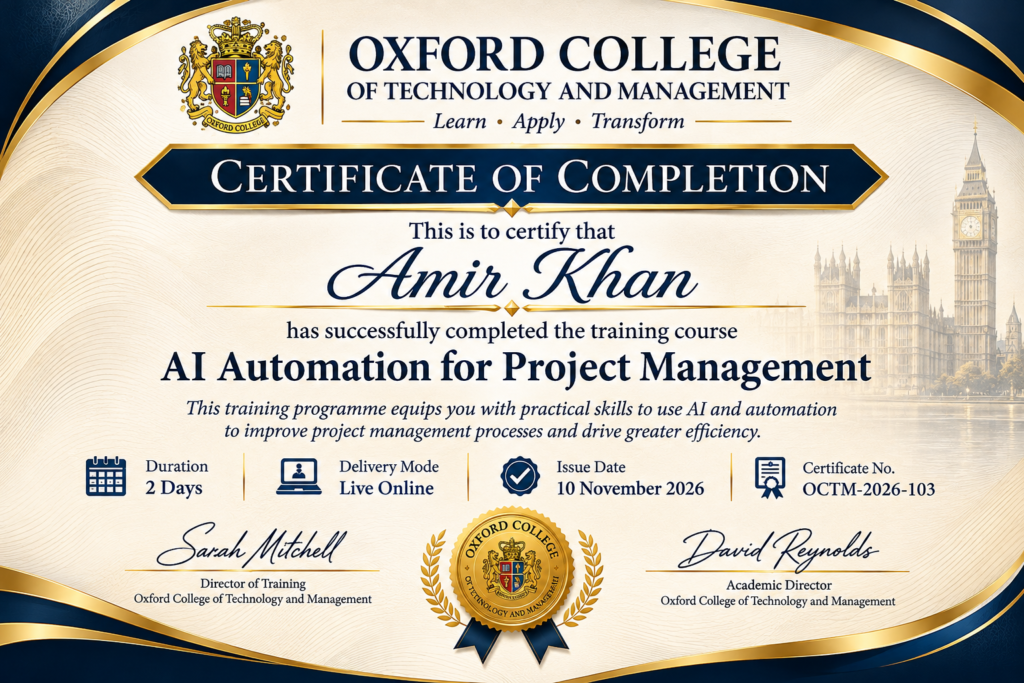
Sample Certificate

Curriculum
- 7 Sections
- 51 Lessons
- 2 Days
Expand all sectionsCollapse all sections
- Module1: Introduction to AI and Prompt Engineering for Project Managers8 Items
- 1.1Understanding Artificial Intelligence and Generative AI
- 1.2Applications of AI across the project management lifecycle
- 1.3Introduction to ChatGPT and Google Gemini
- 1.4Understanding AI agents and their capabilities
- 1.5Principles of effective prompt engineering
- 1.6Developing structured prompts for project management activities
- 1.7Using follow-up prompts to refine and improve results
- 1.8Practical Lab 1: Building an AI Prompt Toolkit – Participants will develop and test prompts for project planning, scheduling, risk analysis, reporting, stakeholder communication and other project management activities.
- Module 2: AI for Project Initiation8 Items
- 2.1Generating project scope statements from business requirements
- 2.2Creating project charters and business case drafts
- 2.3Developing Work Breakdown Structures (WBS)
- 2.4Generating project activities and task descriptions
- 2.5Identifying missing activities and potential dependencies
- 2.6Developing resource requirement lists
- 2.7Generating project planning checklists
- 2.8Practical Lab 2: AI-Powered Project Planning – Use ChatGPT and Gemini to generate a project charter, WBS, activity list, resource requirements and project planning checklist from a sample project brief.
- Module 3: AI for Project Scheduling, Resource and Cost Management6 Items
- 3.1Generating activity sequences from a project WBS
- 3.2Identifying potential scheduling conflicts
- 3.3Analysing project cost estimates and budget information
- 3.4Comparing planned and actual project costs
- 3.5Generating schedule and cost analysis summaries
- 3.6Practical Lab 3: AI-Assisted Schedule and Cost Analysis – Use AI to review a sample project activity list, identify possible dependencies, explore scheduling issues and analyse sample project cost information.
- Module 4: AI for Project Risk and Issue Management8 Items
- 4.1Identifying project risks using AI
- 4.2Generating risk registers from project descriptions
- 4.3Categorising risks by type and priority
- 4.4Analysing risk probability and impact
- 4.5Developing risk mitigation and response strategies
- 4.6Generating corrective and preventive action suggestions
- 4.7Preparing AI-assisted risk reports
- 4.8Practical Lab 4: AI-Powered Risk Analysis – Use ChatGPT and Gemini to generate a project risk register, assess selected risks, suggest mitigation strategies and prepare an issue-resolution report.
- Module 5: AI for Project Monitoring and Decision Support6 Items
- 5.1Analysing project progress information using AI
- 5.2Comparing planned and actual project performance
- 5.3Identifying schedule and cost variances
- 5.4Identifying potential problems from project data
- 5.5Developing recommendations based on project information
- 5.6Practical Lab 5: AI-Powered Project Performance Reporting – Provide AI with sample project performance data and use it to identify variances, highlight potential problems, generate management commentary and prepare a project status report.
- Module 6: AI for Project Communication and Productivity8 Items
- 6.1Generating professional project emails
- 6.2Preparing meeting agendas and minutes
- 6.3Converting meeting notes into action lists
- 6.4Extracting key information from project reports
- 6.5Summarising lengthy project documents
- 6.6Generating project presentations
- 6.7Preparing lessons learned and knowledge documents
- 6.8Practical Lab 6: AI Project Management Assistant – Use ChatGPT and Gemini to transform sample meeting notes into meeting minutes, action logs, follow-up emails and a stakeholder progress presentation.
- Module 7: N8N Workflow Automation for Project Managers7 Items
- 7.1Understanding workflow automation and its business applications
- 7.2Understanding triggers, nodes, actions and workflow connections
- 7.3Creating visual workflows without programming
- 7.4Using ChatGPT/OpenAI in n8n workflows
- 7.5Automating project notifications and reminders
- 7.6Automating meeting follow-ups and action notifications
- 7.7Practical Lab 7: Building an AI-Powered Project Workflow – Create a simple n8n workflow that processes project information and generates an automated notification or follow-up.
It is a practical two-day training programme that introduces project professionals to AI applications and workflow automation across the project lifecycle.
No. The course starts with the fundamentals of AI and progresses to practical project management applications.
The course covers ChatGPT/OpenAI, N8N and Google Gemini for project planning, documentation, risk analysis, communication and reporting.
Yes. AI can support risk identification, risk register preparation, risk assessment and the development of mitigation strategies. Professional review remains essential.
Yes. The course includes guided exercises and a practical project involving the design of a simple AI-assisted workflow using N8N.
Yes. The examples can be relevant to construction, engineering, IT, business and other project environments.
Please fill the registration form or contact us on WhatsApp: +44 7441 426446
Yes, this course follows PMI PMP methodology for project management.
 Lessons: